Ever ask yourself why some app projects move like lightning, while others crawl for days? Happens often. Strange, but real. Sometimes it’s not even the developer’s skill. It’s the tools. The app development plugins for WordPress you rely on.
The small helpers hiding inside your WordPress dashboard. They decide the flow, shape the pace, and can mess up the journey or make it smooth. I learned this the hard way once. Tight deadline. Big expectations. Half-working code. And then one plugin changed the whole rhythm. Saved the day.
This guide tells a similar story. A soft walk. A bit casual, a bit formal. Five plugins that quietly push your app development projects forward. They don’t shout or brag. They work behind the scenes. That’s where real magic stays.
1. WP App Studio – Build Custom App Structures Without Heavy Coding
WP App Studio steps in like someone who knows the room already. Calm. Confident. You don’t feel pressured. It gives you a way to build custom structures without writing endless code lines.
I used to spend hours on post types, meta boxes, and admin views—tiny tasks are stealing attention. But one day, I discovered WP App Studio, and things flipped. It felt like finding a hidden button that says “shortcut.” A quiet relief.
You model your data. Add fields. Create relationships. Everything feels like shaping clay. Slow. Careful. But somehow fast. And once you click that generate button, a full plugin forms right in front of you. Yes, a whole plugin. It feels odd the first time. Like cheating. But good cheating. Smart cheating.
For app-like systems inside WordPress delivery apps, student portals, and service dashboards, this plugin builds the skeleton. A strong one. And once that skeleton stands, you breathe easier. You build faster. You spend less time fixing repeated pieces and more time crafting the real user experience.
And the best part? It feels almost natural. Almost effortless. Like something that should’ve existed from the beginning. WP App Studio doesn’t scream for attention. It works. Quiet. Solid. Reliable.
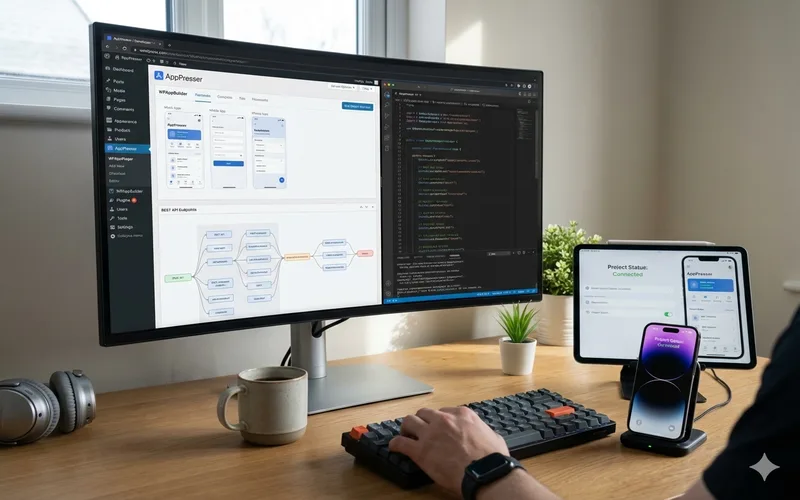
2. AppPresser – Turn Your WordPress Site into a Mobile App
AppPresser walks in louder. Not noisy. Just bold. It bridges your WordPress website and the mobile app world in ways that feel surprisingly smooth. Before this tool, I always felt the web and mobile were two distant cousins who barely spoke. Now they talk. Clearly. Every day.
This plugin lets you build mobile apps that sync with your WordPress backend. Posts, profiles, products, membership data—everything travels between platforms. Almost magical how it keeps things aligned. I once built a coaching app for someone. They wanted mobile updates the same second they changed something on the website. Hard request. Stressful. AppPresser made it simple. The app updated instantly. The client smiled. I pretended I wasn’t sweating earlier.
You get custom screens. Push notifications. Deep WordPress integration. And a visual builder that moves the process along like a friendly guide. You don’t fight it. You flow with it.
Not a perfect replacement for fully native apps, but oh boy, when you’re building hybrid systems tied to WordPress, it saves days. Weeks even. The plugin becomes your teammate. Not dramatic. Just steady.
3. Advanced Custom Fields (ACF) – Shape Dynamic App Data Smoothly
ACF is that tool everyone knows. Everyone uses. And for good reason. It doesn’t look flashy. Doesn’t wave huge banners. But it shapes the bones of so many WordPress apps today. Subtle power.
When you’re building an app system, your data must be tidy. Structured. Flexible. ACF gives you fields that match real app needs—dates, switches, repeaters, and conditional logic. Everything you expect in serious data models. And it all sits inside WordPress as it belongs there.
You build forms. Manage metadata. Organize input. ACF turns messy ideas into clean structures. That matters. More than people think. Without structure, apps break fast. With it, they breathe.
One project stays fresh in my mind. A booking app. Tons of details. Availability rules. User notes. Time slots. At first, it looked chaotic. But once I built the fields in ACF, the app felt alive. Organized and finally made sense.
And the REST API compatibility? A gift. Your mobile app or external frontend pulls the data smoothly. No wrestling with odd formats. No fixing strange outputs at midnight.
ACF is like a quiet assistant standing next to you. Working. Always on time. Never complaining.
4. REST API Toolbox – Control and Extend Your API Like a Pro
When your app depends on WordPress, the REST API becomes the nervous system. Messages travel. Data moves. Screens load. And if the API is messy, the whole project shakes. I’ve been there. Ugly place. Slow responses. Wrong fields. Unwanted exposure. A total mess.
REST API Toolbox fixes that early. It lets you control what opens and what hides. Endpoints. Permissions. Fields. Routes. Everything sits under your command—a dashboard of decisions. You feel like you’re conducting a small orchestra.
Let’s say you’re building a tracking system. You only want certain values exposed. Maybe some user roles are allowed. Others not. Without this plugin, it becomes a code jungle. But here? Flip. Click. Done. Very neat.
You can add custom endpoints, too. Perfect for when you’re mixing ACF data, custom post types, or unique app logic from WP App Studio. Suddenly, the API becomes readable. Predictable. Pretty even. If APIs can be pretty.
Working with mobile developers becomes easier, too. They stop asking, “Where is this field?” or “Why does this look different each time?” You give them clean endpoints. They smile. You smile. Peace returns to the project.
REST API Toolbox isn’t loud. But wow, it’s important.
5. App My Site – Generate Full Mobile Apps With Smooth WordPress Sync
App My Site feels different. Faster. Almost rushed, but in a good way. It’s made for quick builds. Quick prototypes. Quick launches. But that doesn’t mean sloppy. No. It delivers more than people expect.
You build a mobile app through guided steps. Screens. Navigation. Visual tweaks. Sync settings. Before you even realize, your WordPress content sits inside a functioning mobile app real-time syncing, push notifications and user login. WooCommerce flows. It all comes together in a strangely smooth rhythm.
Clients love it when things appear fast. Very fast. And App My Site gives that wow moment, especially for MVPs or early-stage products. You build. Test. Show. Fix. Improve. Repeat. The cycle becomes friendly.
And because it integrates deeply with WordPress, you can attach other plugins to enhance the experience. For example, say your client wants pre-launch items available inside the app. Simple. Add something like WooCommerce Pre Order to the backend, and the app picks it up—instant harmony.
This plugin isn’t trying to replace advanced mobile frameworks. But for many WordPress-based app projects, it creates a strong starting point. Sometimes, even the final point. Fast. Simple. Helpful. That’s App My Site.
Why These Plugins Matter in App Development
App development inside WordPress grew bigger. People want dashboards. Portals. Systems. Mobile apps. All connected. WordPress can handle this. But only when supported by the right tools. These five plugins turn WordPress into an app engine—a real one.
They give structure. Mobile sync. Data handling. Clean APIs. Fast builds. Things that save hours. Days. Maybe months. Developers often get stuck not because of complexity, but because they lack the right workflow. These plugins fix that. Quietly.
Used together, they transform WordPress from a simple CMS into a full product backbone. And once that backbone stands, you build stronger features with less pain.
Tips for Using These Plugins Together
Start with structure. Always. WP App Studio or ACF should shape your app data early. Clean foundations prevent micro disasters later.
Keep the API clean. REST API Toolbox protects you from chaos. Seriously. Use it early.
Then choose your mobile path. AppPresser works better for complex hybrid flows. App My Site works great for fast mobile delivery and MVPs.
Stay modular. Don’t overload your stack with plugins doing the same thing. Keep things simple. Simple works.
Plan syncing early. Test how your mobile app pulls data before building big features on top. Saves time. And sanity.
Conclusion
App development in WordPress becomes easier, much easier, when you pick the right tools and app development plugins for WordPress that truly support your workflow. These five plugins carry the weight. WP App Studio gives structure. AppPresser builds the bridge. ACF organizes the data. REST API Toolbox protects the communication layer. App My Site speeds up mobile creation.
Each one adds a different strength. And together, they form a powerful environment where ideas grow fast. Cleaner workflow. Better clarity. Fewer headaches. More progress.
If your next project needs strong foundations, fast development, and smooth syncing between platforms, these tools will guide you. They whisper, push, and hold things steady. And sometimes, that’s exactly what a developer needs.