Customers don’t take too much to hang around forever. A few seconds can be all it takes for them to decide if they’ll keep browsing or move on. In online retail, even the smallest design change can quietly shift that decision in your favor. One of those underrated features? Variation swatches.
They seem simple. Instead of making a customer dig through dropdown menus, swatches put every choice right in front of them. It’s visual. It’s quick. And it feels far more natural.
A lot of WooCommerce stores still use the default dropdown for things like size, color, or fabric. That system works, but it isn’t exactly fast. The shopper has to click, scroll, and sometimes even backtrack to confirm a choice. Swatches cut out all of that, so the store feels easier to use and just… nicer to shop in.
Why Default Dropdowns Can Hold a Store Back
Hidden Choices Mean Missed Chances
When options hide inside a dropdown, some of them stay invisible until clicked. If a customer is after a blue shirt, but the color is buried in a list, they might not even notice it’s there. That’s a lost sale waiting to happen.
Slower Decisions
If someone is comparing two shades of red, a dropdown forces them to open and close it over and over. It’s clunky. That extra step can feel small, but it adds friction.
Sales Left on the Table
More clicks lead to more customer distraction, frustration, or leaving entirely. In online retail, delays can be expensive.
For modern stores, speed and ease aren’t just nice to have; they’re expected. Variation swatches solve those problems in a way that feels almost invisible, but customers notice the difference.
What Variation Swatches Actually Are
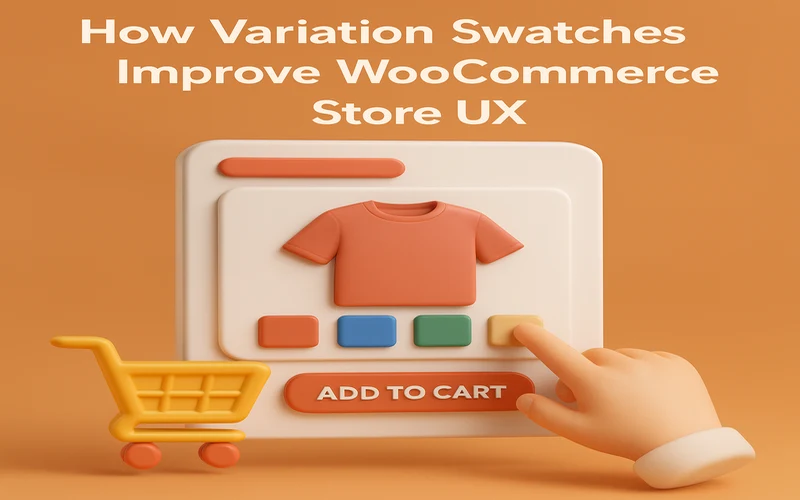
Variation swatches are just visual selectors for product choices. Instead of plain text, you get clickable boxes, little color circles, or thumbnail images. They speed up selection and make browsing more enjoyable.
A few everyday examples:
- A t-shirt shop showing color circles under the product photo.
- A shoe store displaying size options as bold, clickable buttons.
- A paint store showing tiny live previews of each shade.
These WooCommerce swatches give the shopper all the choices at once. No digging, no guessing.
How Variation Swatches Lift the Shopping Experience
Clearer Visuals
If color or texture is important, seeing it is always better than reading a label. “Navy” written in text doesn’t hit the same as a navy-colored circle.
Faster Selections
One click and the choice is made. That matters for quick shoppers and for anyone on a phone.
Better Mobile Usability
Dropdown menus on small screens can be fiddly. Swatches are tap-friendly and sit neatly in mobile layouts.
A Polished Look
Stores with swatches often feel more modern and trustworthy, which can help bring customers back.
Different Types of Variation Swatches
1. Color Swatches
Small color blocks or circles showing each available shade.
Example: A jacket store offering black, camel, and olive in neat swatches under the image.
2. Image Swatches
Small thumbnails for patterns or styles.
Example: A bedding store showing plaid, striped, or floral designs as pictures instead of text.
3. Text Label Swatches
Sizes, weights, or simple attributes shown as buttons.
Example: Shoe sizes displayed as “8, 9, 10” instead of a list.
4. Radio Button Swatches
Simple, clean selection buttons for easy comparison at a glance.
Why a WooCommerce Variation Swatches Plugin Helps
WooCommerce doesn’t include advanced swatch features out of the box. A WooCommerce variation swatches plugin fills that gap without custom code.
With the right plugin, you can:
- Replace dropdowns with swatches on shop and product pages.
- Blur, hide, or cross out out-of-stock variations.
- Adjust swatch size and shape to match your brand style.
What Store Owners Gain from Swatches
- Better Conversion Rates: The faster a shopper can choose, the more likely they are to buy.
- Fewer Questions for Support: When options are visible and clear, customers don’t need to ask.
- A Smoother Browse: People can explore more variations in less time, which can lead to bigger orders.
Best Practices When Adding Variation Swatches
- Stay Consistent with Your Theme: Matching colors, borders, and shapes keeps the design clean.
- Use Tooltips: A tiny pop-up explaining “Slim Fit” or “Recycled Fabric” can guide buyers.
- Show Stock Status: A blurred-out or crossed swatch prevents disappointment.
- Test on Mobile: Buttons should be large enough to tap without zooming.
How Industries Use Swatches
Fashion
Many clothing stores report higher sales after switching to WooCommerce product variations swatches. Seeing size and color instantly reduces abandoned carts.
Home Decor
A furniture store that uses fabric swatches helps customers picture the product better. That reduces returns.
Beauty
Lipstick, foundation, and nail polish colors as swatches let shoppers pick shades without second-guessing.
A Quick Store Example:
A mid-sized shoe store swapped dropdowns for clickable size and color buttons.
- Before: Customers often missed available sizes.
- After: Everything was visible at once.
- Result: 22 percent more completed purchases in two months.
Recommended Plugin
The Extendons WooCommerce Swatches Plugin is a reliable choice. It supports color, image, text, and radio button swatches. It works on both product and shop pages and allows full customization to match your design.
Final Word
Variation swatches speed up product selection and make stores feel modern. They replace slow dropdowns with instant, visual options that customers respond to. Swatches are a simple yet effective addition to any WooCommerce site looking to create a smoother and interesting buying experience. Using a trusted plugin like Extendons can make the change simple and worthwhile.
FAQs
Can swatches improve mobile shopping?
Yes. They are more tap-friendly and quicker than drop-down menus.
Do they need coding?
No. A WooCommerce variation swatches plugin installs through the dashboard.
Are they only for colors?
No. They work for sizes, patterns, materials, and more.
Do they slow a site down?
A well-built plugin should run smoothly without harming site speed.